Settings has six tabs. This article covers the first two — the ones you set up once and rarely revisit.
Company Information
Your company name, email, address, and phone numbers. The company name and address appear at the top of every invoice, so enter them the way you want clients to see them.
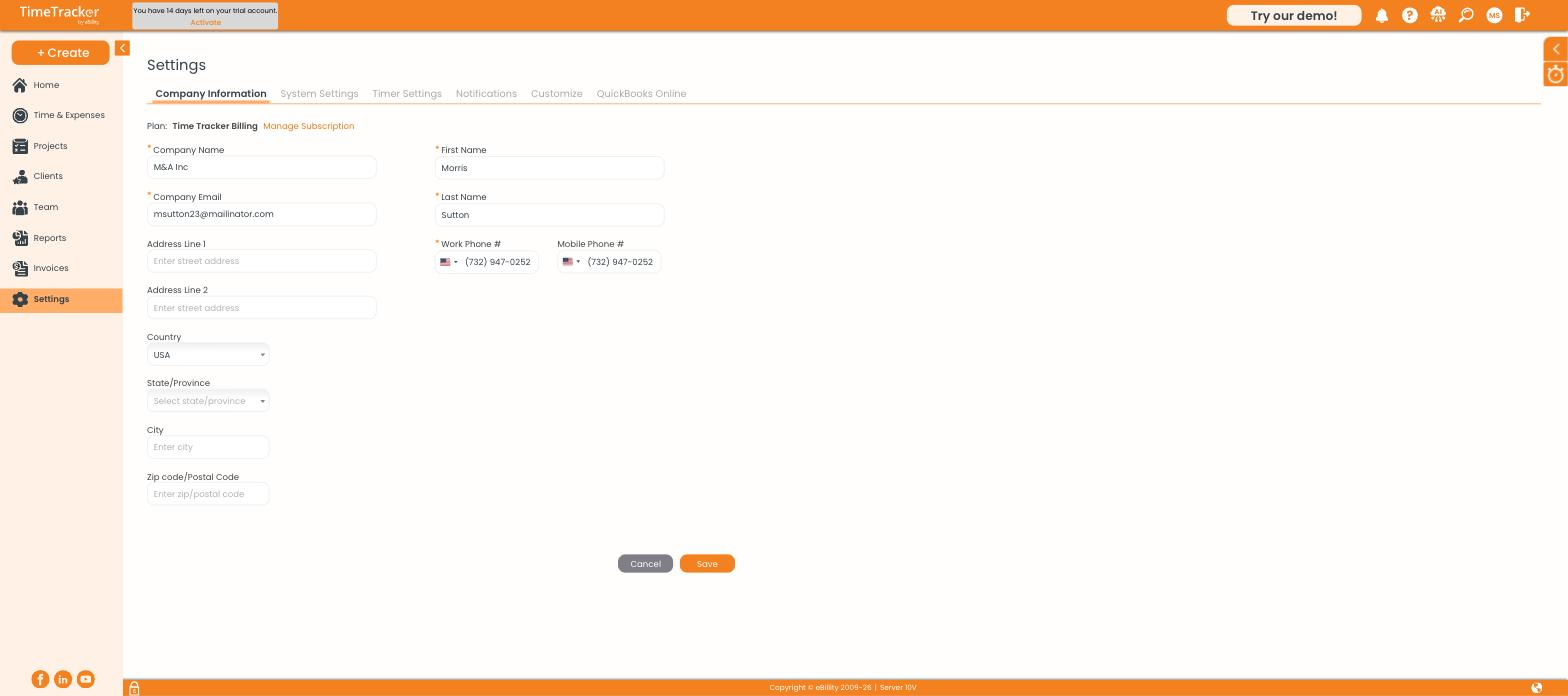
Company Information, with your current plan and a Manage Subscription link at the top.
Your plan is shown here too, with Manage Subscription beside it for changing or activating your subscription.
System Settings
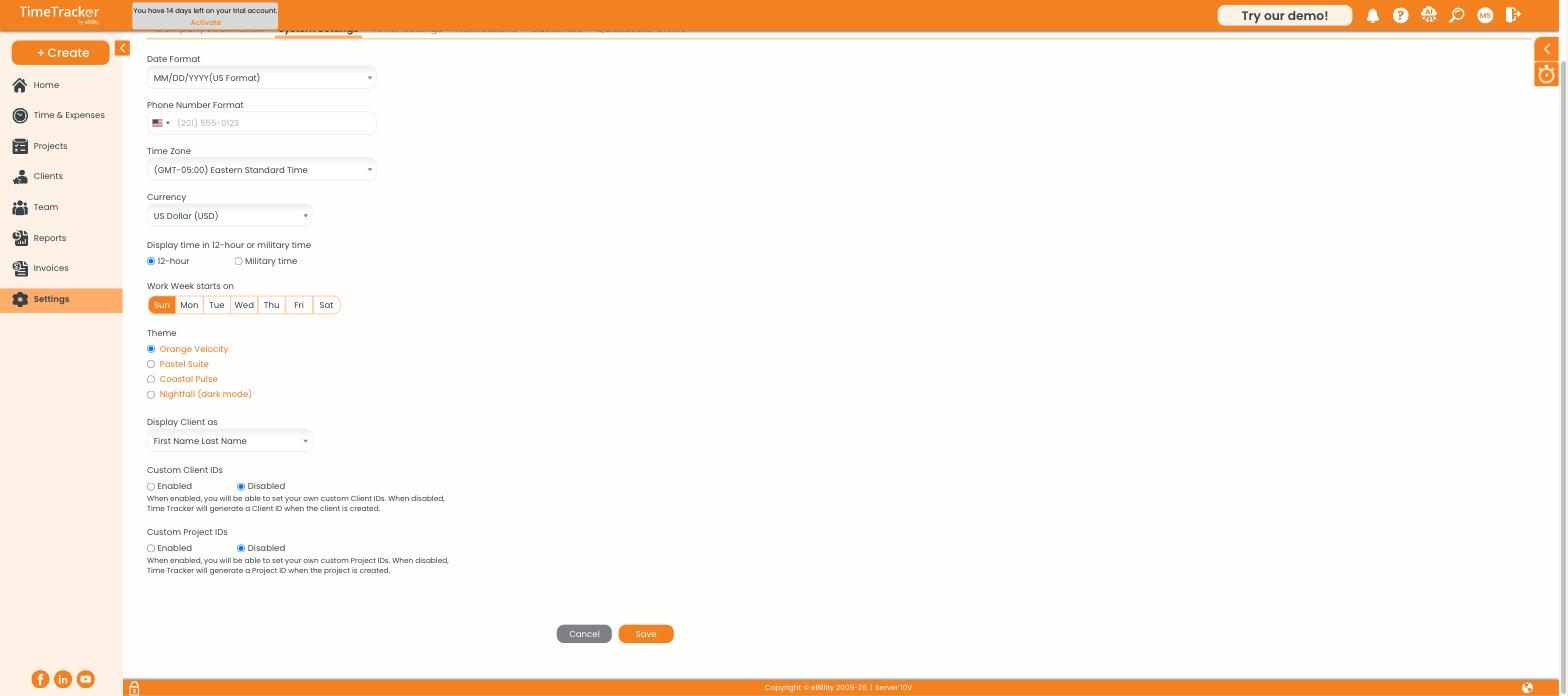
System Settings covers regional formats, week start, theme, and custom ID options.
Themes
Four themes are available: Orange Velocity (the default), Pastel Suite, Coastal Pulse, and Nightfall, which is a dark mode.
Custom IDs
With custom IDs disabled, Time Tracker Billing numbers your clients and projects for you as C1, C2, P1, P2 and so on. Enable them if you already have a numbering scheme — a matter number or job code — that you want to carry through.