Every dropdown in Time Tracker Billing is yours to edit. They live at Settings → Customize → Custom Lists.
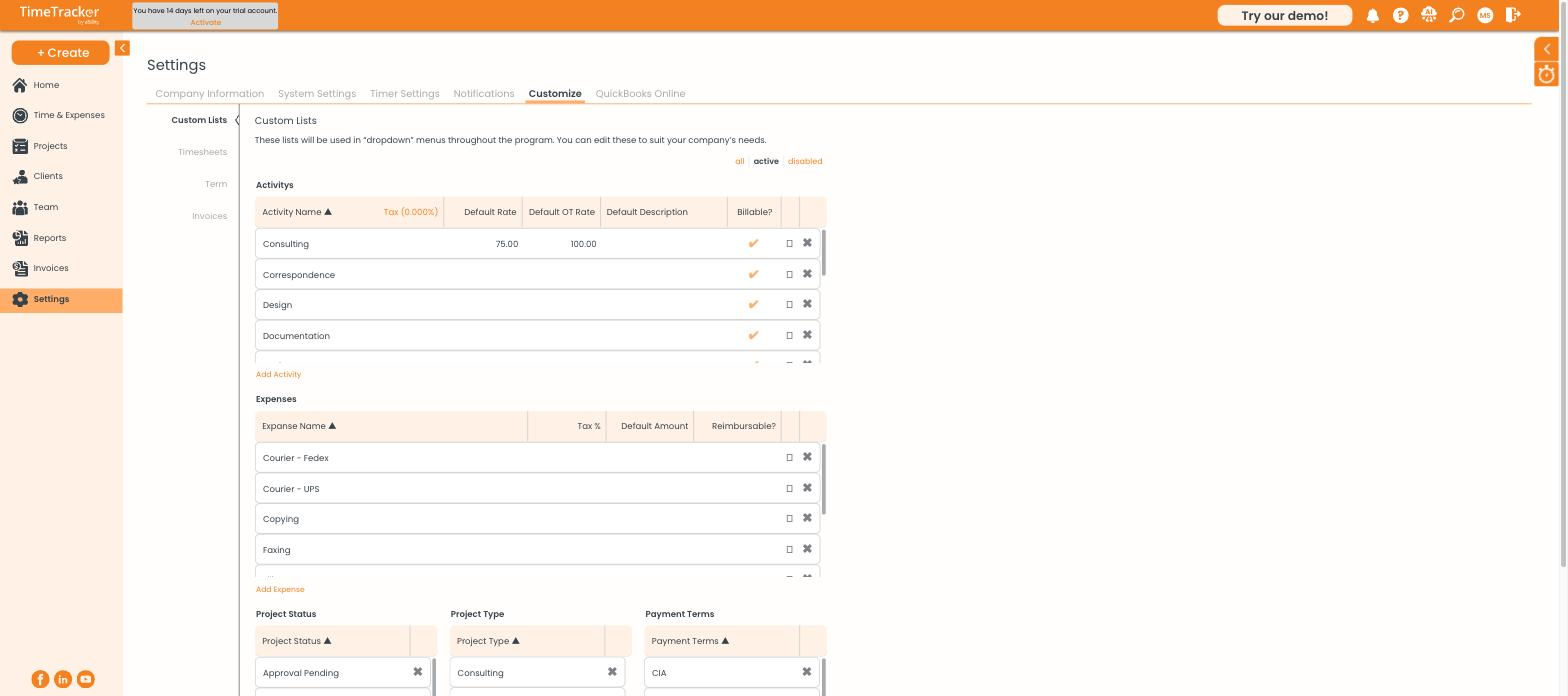
Custom Lists holds activities, expenses, project statuses, project types, and payment terms.
Activities
An activity describes the kind of work — Consulting, Design, Documentation, Correspondence. Every time entry has one, and it appears on the invoice, so these names are client-facing. Each activity carries:
Expenses
Your expense categories, each with an optional tax percentage, default amount, and reimbursable flag. Setting a default amount on a cost you log repeatedly saves typing it every time.
Project Status, Project Type, and Payment Terms
- Project Status — the states a project moves through, such as Open or Approval Pending
- Project Type — how you categorise work for reporting
- Payment Terms — the terms you offer clients, which drive invoice due dates
Adding and removing
Use Add Activity or Add Expense beneath each list. To remove an item, click the cross at the end of its row. The all / active / disabled filters above the lists let you bring back something you disabled earlier.