Three fields on the expense form change the money, and they do different jobs. It is worth being clear on each.
Markup
Markup is the difference between what you paid and what you charge. Enter it as a percentage in the Markup Ratio field, and Time Tracker Billing does the arithmetic as you type.
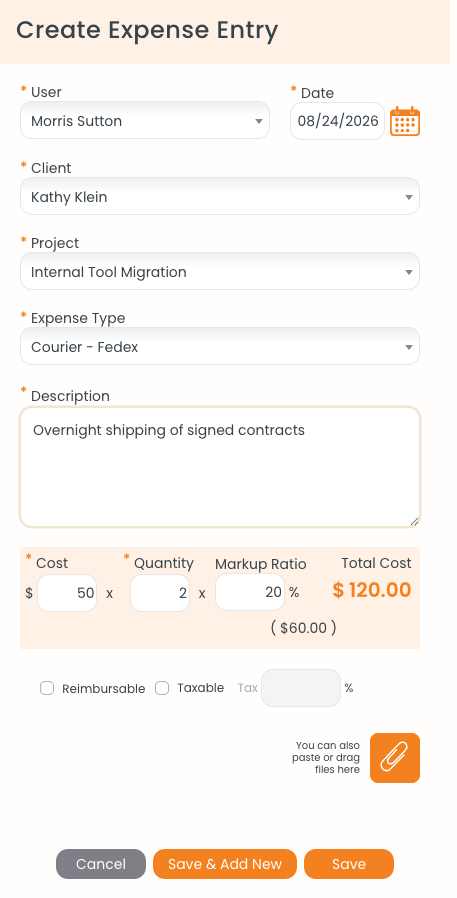
A $50.00 cost at quantity 2 with 20% markup, giving a total cost of $120.00 and a marked-up unit rate of $60.00.
A worked example
Say you pay $50.00 for an overnight courier and send two of them, and you apply a 20% markup.
The $60.00 shown in brackets beneath the total is the unit rate after markup — the $50.00 you paid plus 20%. That is the rate that carries through to the invoice, where the line reads as quantity 2 at $60.00 for $120.00. The $20.00 difference across both units is your margin.
Reimbursable
Tick Reimbursable when the person who paid should get their money back. This is about your relationship with your team member, not with the client — it flags the expense for repayment and picks it up in the reimbursable expense report.
Taxable
Tick Taxable when tax should be added to the expense on the invoice, and enter the percentage in the Tax field beside it. A firm-wide default can be set on expense types, so you may not need to enter this every time.