A time entry does not carry its own price. When Time Tracker Billing works out what an hour is worth, it looks in several places and uses the most specific rate it can find. Knowing that order explains almost every billing surprise.
Where rates are set
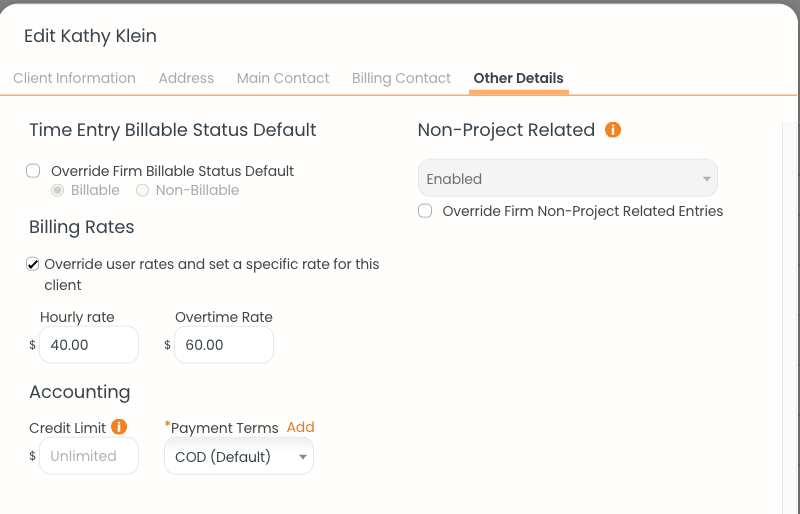
The Other Details tab on a client, where a client-level hourly and overtime rate override the user's own rate.
A worked example
Say your own standard billing rate on the Team page is $50.00 per hour. You then open a client and tick Override user rates and set a specific rate for this client, entering $40.00.
From that point on, every hour you log against that client prices at $40.00, not $50.00. The more specific rate wins. If you also set a rate on one particular project for that client, hours on that project would price at the project rate instead.
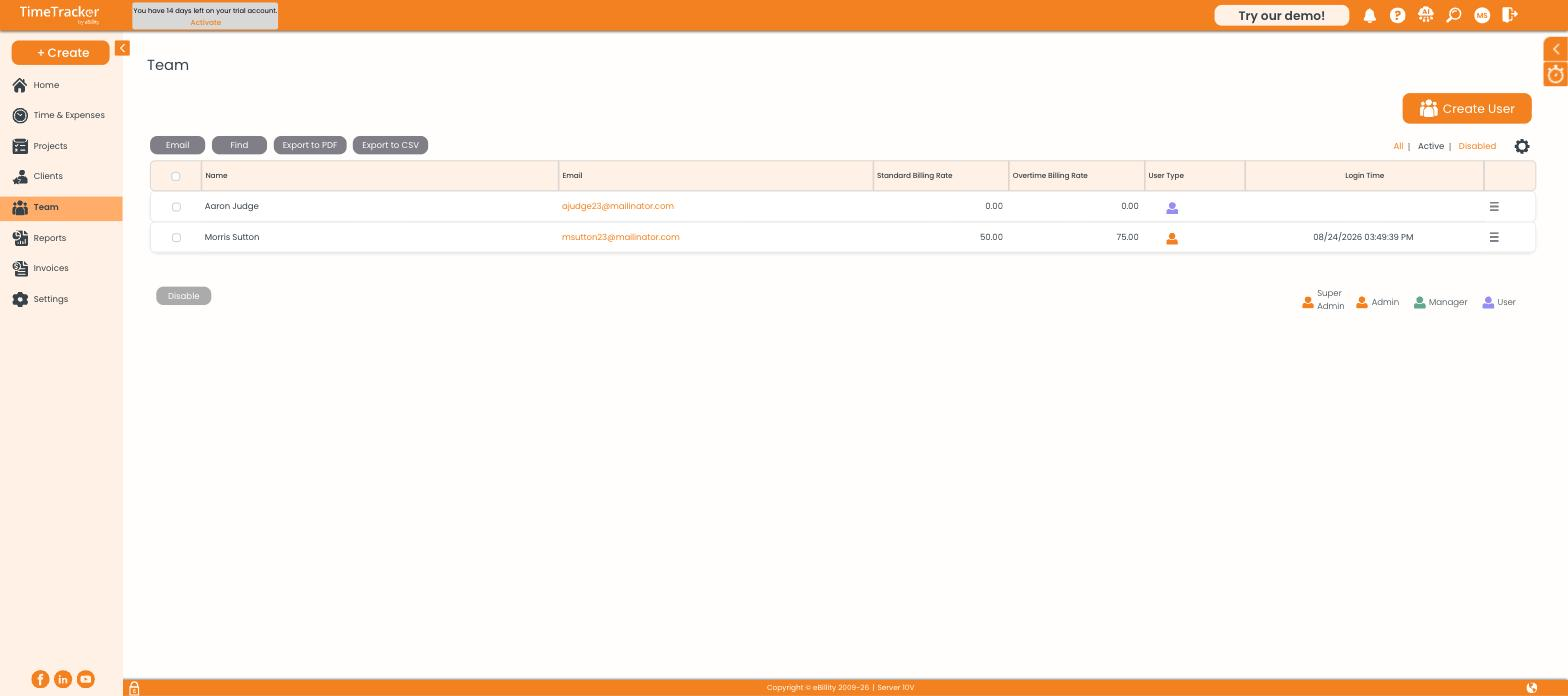
Each team member carries a standard and an overtime billing rate — the fallback when nothing more specific is set.
Why an invoice comes out at $0.00
If no rate is set at any level, the hour is worth nothing and the invoice totals zero. This is the single most common billing problem, and it is always the same fix: put a rate somewhere.
- Open Team and check whether the user has a Standard Billing Rate. A rate of 0.00 is the usual culprit.
- Open the client and look at Other Details — if the override is ticked, that rate is being used.
- Open the project and look at the Billing tab — a project override beats the client rate.
- Set a rate at whichever level makes sense, then delete the $0.00 invoice and create it again.
Checking which rate actually applied
When you build an invoice, the entry picker shows a Rate column for every line. That is the rate the system settled on. If a number there looks wrong, you can trace it back through the four levels above before you finalize anything.
Overtime rates
Each level also carries an overtime rate. Overtime pricing has to be switched on first, at Settings → Timer Settings → Overtime Billing Rates.