Category: Invoices • Premium & LawBility
Tap View & Create Invoices from the Dashboard or the hamburger menu to open the Invoices screen.
The Invoice List
Invoices are listed by month (for example, MAY 2026, APRIL 2026) with the most recent at the top. Each month header shows the total Paid and Owing amounts. Each invoice entry displays:
- A status icon — The circle on the left indicates the invoice status (open, partially paid, fully paid, etc.).
- Client name and invoice description.
- Invoice date and number (for example, 05.08.2026 - #10240).
- Amount in large text on the right.
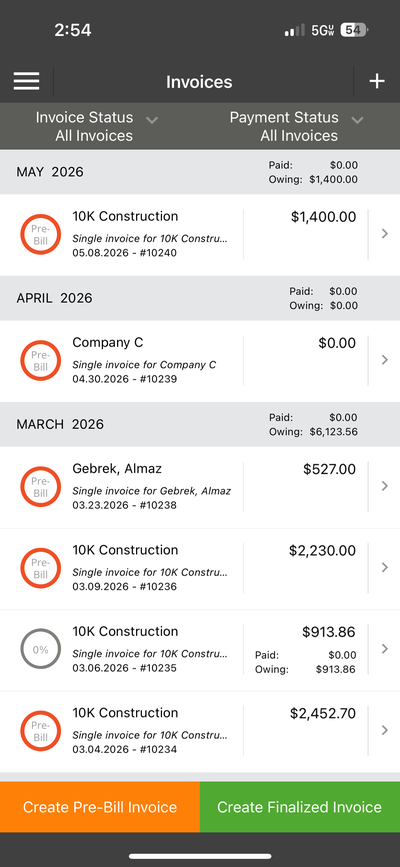
The Invoices list — grouped by month with status icons and amounts
Filtering Invoices
At the top of the screen, two dropdown filters let you narrow the list:
- Invoice Status — All Invoices, Pre-Bill, Finalized, etc.
- Payment Status — All Invoices, Paid, Unpaid, Partially Paid, etc.