Different clients often have different rate agreements. Maybe one client negotiated a discounted rate, another gets billed at a premium, or you have a legacy client on an old rate. Rather than remembering to adjust every invoice manually, set rate overrides at the client level and let TimeTracker handle the math.
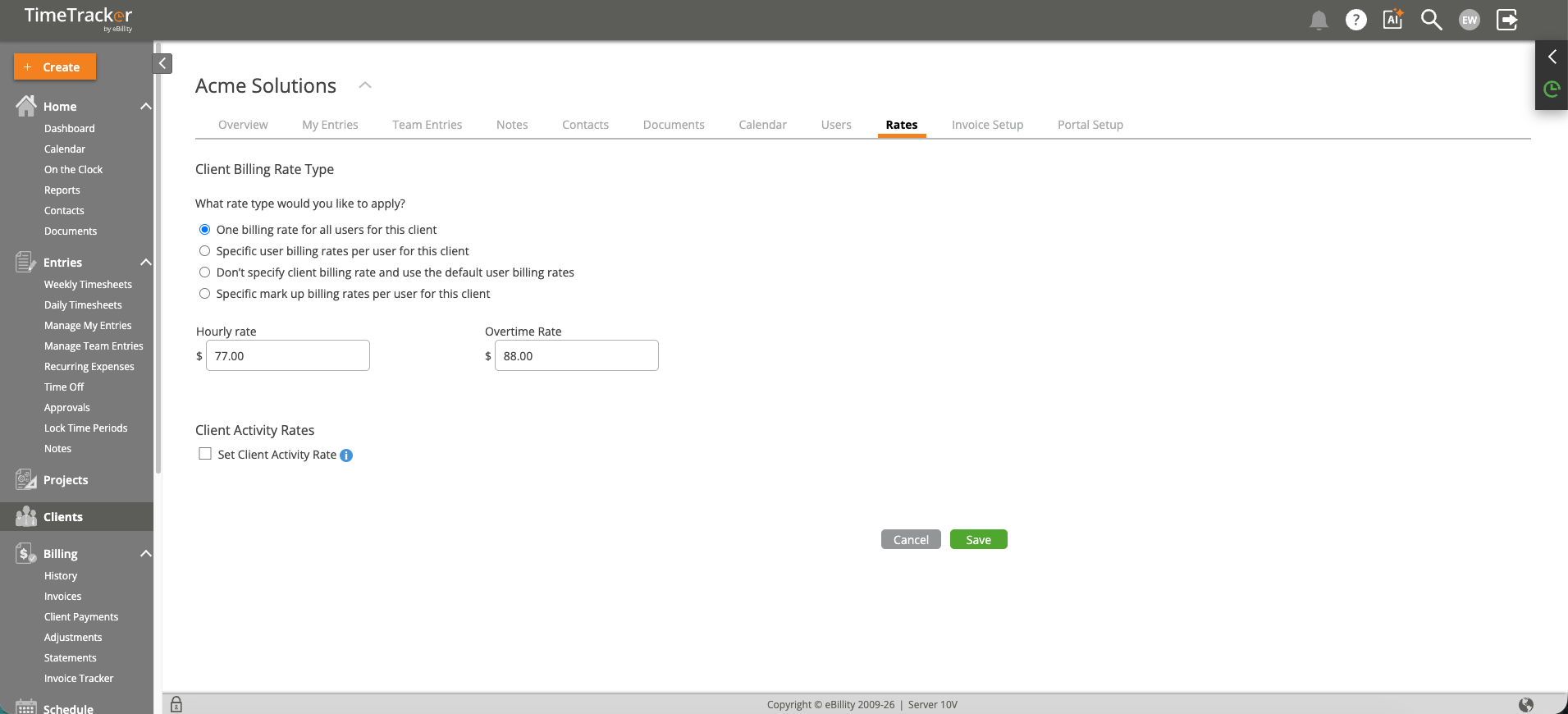
The Client Rates tab configures billing rate types, hourly and overtime rates, and per-activity rate overrides.
How Rate Priority Works
When calculating invoice amounts, TimeTracker uses the most specific rate available:
- Project rate (most specific) — Set on the project's Billing tab. Overrides everything else for time logged to that project.
- Client rate — Set on the client record (this page). Used when no project-level rate exists.
- User default rate (least specific) — The rate on the user's profile. Used as the fallback when neither a project nor client rate is configured.
If none of these have a rate, the system calculates $0.00 — the most common cause of $0 invoices.
Setting a Client Rate Override
- Go to Clients and click the client's name.
- Open the Other Details or Rates tab.
- Check "Override user rates and set a specific rate for this client."
- Enter the custom hourly rate and optionally an overtime rate.
- Click Save.
Per-Activity Rate Overrides
You can also set different rates for different activities within the same client. For example, "Strategy" work might bill at $250/hour while "Admin" work bills at $150/hour. Configure these under the activity-level rate settings on the client's Rates tab.
Additional Client Billing Settings
- Billable Status Default — Override the firm-wide default. Useful for pro-bono clients whose time should default to non-billable.
- Non-Project Related Entries — Controls whether users can log time to this client without selecting a project. Disable this to force project-level tracking.
- Payment Terms — Set Net 15, Net 30, etc. This defaults on invoices created for this client.
- Credit Limit — Set a cap on outstanding receivables (default is Unlimited).