Without a budget, it's easy for a project to go over hours or over budget before anyone notices. Setting up an estimate gives you an early warning system — you'll see at a glance how much has been used and how much is left, and you can configure alerts before things go off track.
Check “Add an estimate for this project” on the Project Estimates tab to enable budgeting. Four methods are available:
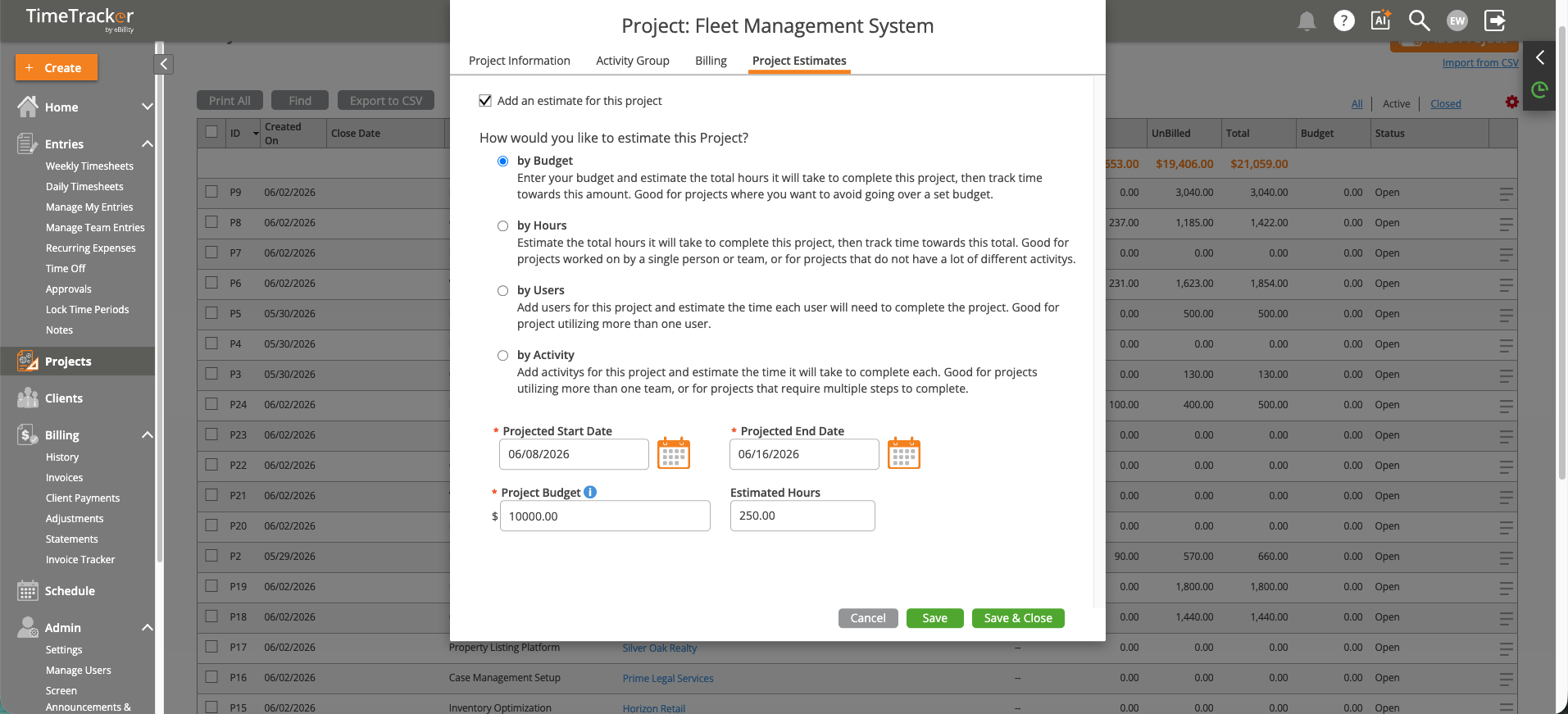
The Project Estimates tab lets you set budgets by dollar amount, hours, date, or per-user allocation.
Once an estimate is set, the Project Tracker shows budget vs. actual in real time. You’ll see a progress bar indicating how much of the estimate has been consumed.