Two settings areas shape how your team records time day to day.
Timer Settings
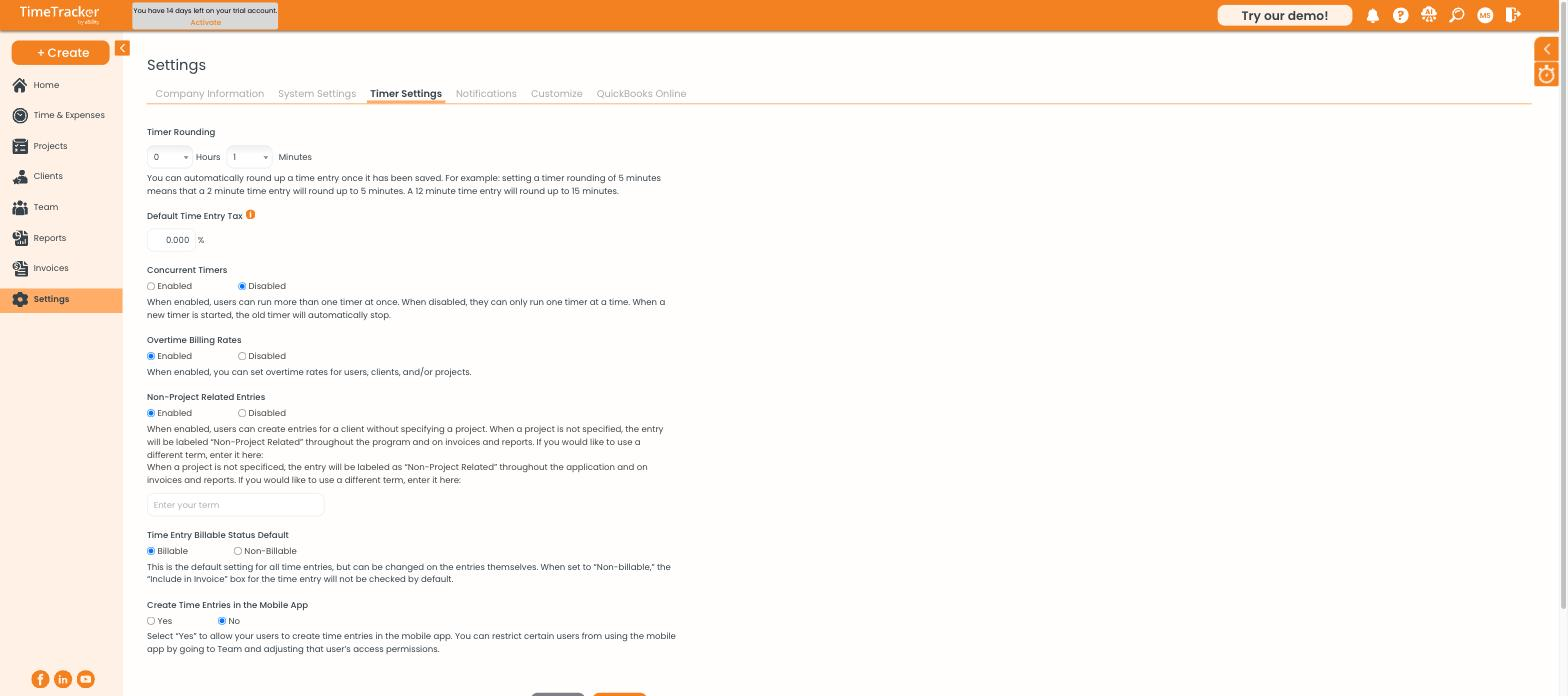
Timer Settings covers rounding, concurrent timers, overtime rates, and billable defaults.
A note on rounding
Rounding applies when the entry is saved, not retroactively. Turning it on today does not change yesterday's entries, and turning it off does not unwind rounding that has already been applied.
Renaming Non-Project Related
If "Non-Project Related" is not the language your business uses, type your own term into the box beneath the setting. It replaces the label everywhere — dropdowns, invoices, and reports.
Timesheet appearance
Settings → Customize → Timesheets controls what the grid looks like.
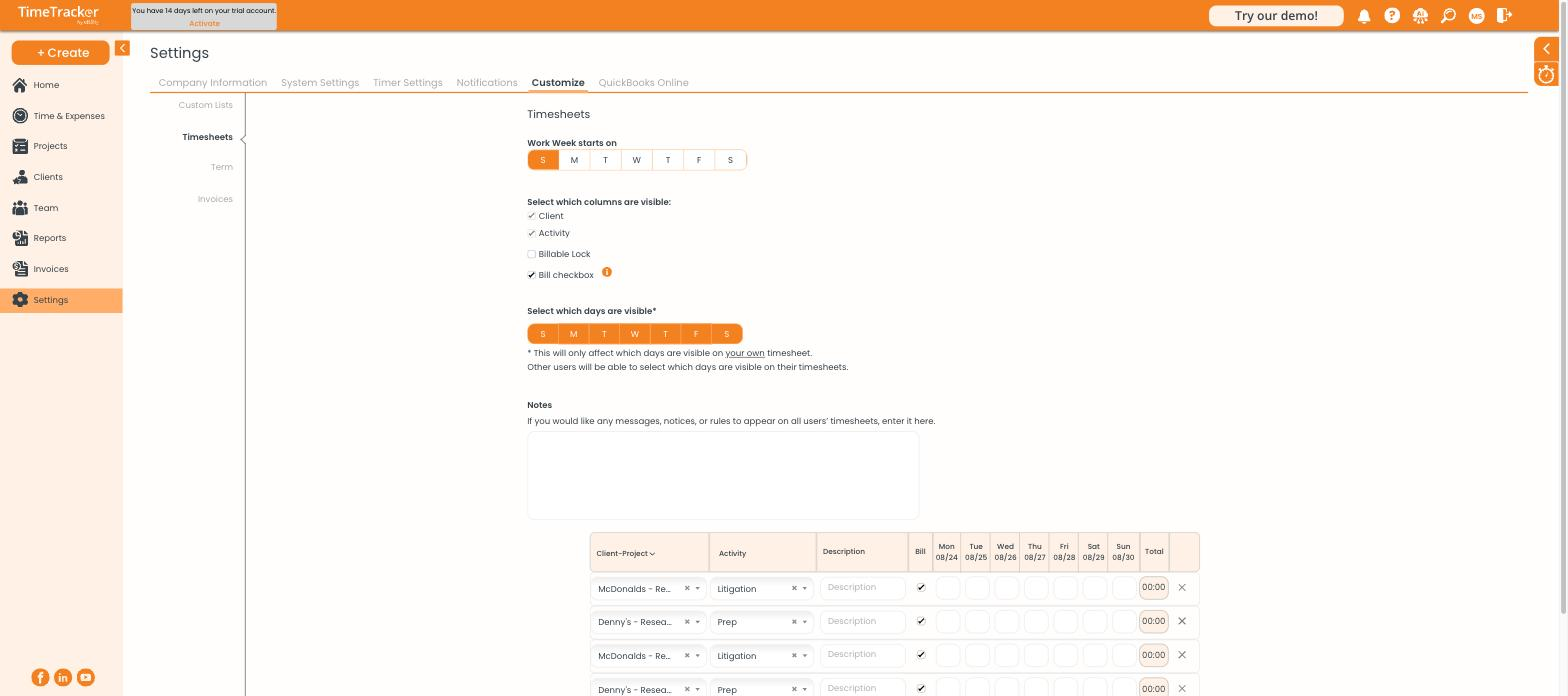
Timesheet customization, with a live preview of the grid below the settings.
- Work Week starts on — which day the grid begins
- Which columns are visible — Client, Activity, Billable Lock, Bill checkbox
- Which days are visible — hide weekends if nobody works them
- Notes — a message that appears on everyone's timesheet, useful for deadline reminders
A live preview sits below the settings, so you can see the effect of each change before saving.