Sometimes you need to attach supporting files to your work — contracts, scope documents, reference materials, or internal notes. Instead of emailing files around or keeping them in a separate system, the Document Manager stores them right inside TimeTracker where your team already works.
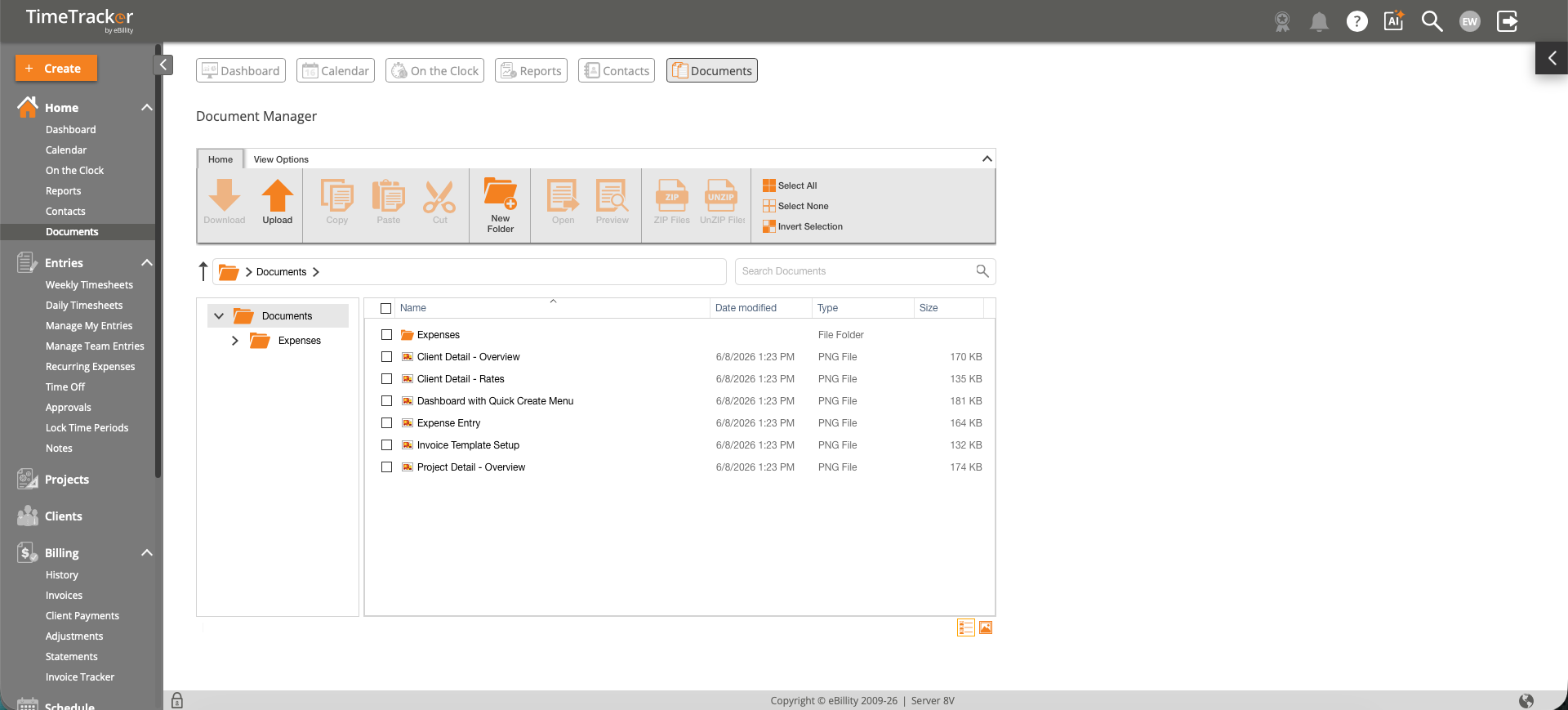
The Document Manager provides a central file repository with upload, download, folder management, and search capabilities.
Getting There
Click Documents in the sidebar under Home, or select the Documents shortcut in the top navigation bar.
Key Features
- Upload files — Drag and drop files or click Upload to store documents securely in the cloud.
- Folders — Create folders and subfolders to organize documents by client, project, or category.
- Download, copy, and move — Manage files between folders with standard file operations.
- Preview — View supported file types (images, PDFs) directly in the browser without downloading.
- Compress/Extract — Create ZIP archives or extract existing ZIP files.
- Search — Find documents by filename using the search bar.
Common Uses
- Client contracts — Store engagement letters, SOWs, and contracts alongside the client's time and billing data.
- Project documentation — Keep scope documents, specifications, and deliverables organized by project.
- Receipt storage — Receipt images attached to expenses are automatically stored here for easy retrieval.
- Internal policies — Store time tracking policies, billing guidelines, or onboarding materials for your team.
Tips
- Use the View Options dropdown to switch between icon view and list view.
- Select multiple files using checkboxes for bulk download, move, or delete operations.