
Applies to: Workforce · Premium
Time Tracker connects to ADP through the Time Tracker Connector app, which you add from the ADP Marketplace. It works with RUN Powered by ADP, ADP Workforce Now, ADP Workforce Now Canada, and ADP Workforce Now Next Generation. It's for customers who already use both Time Tracker and ADP.
Connecting with the Time Tracker Connector
In the left menu, click ADP > Connect to ADP.
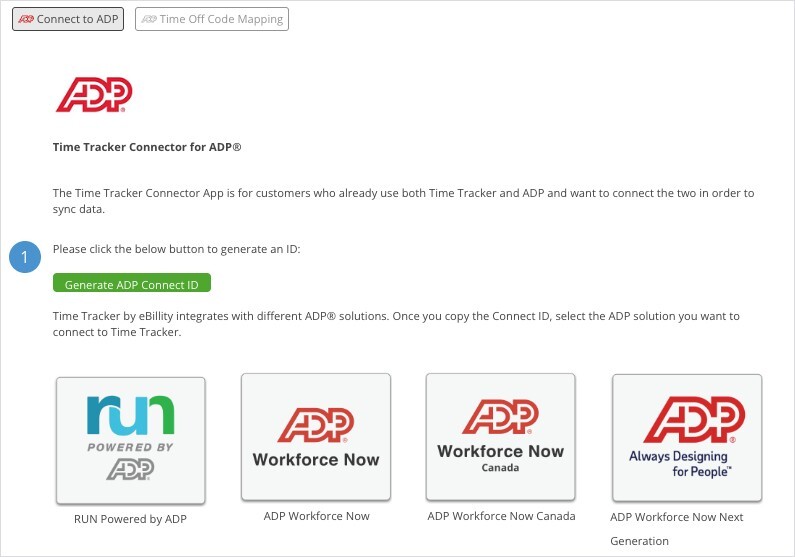
The Connect to ADP tab: generate a Connect ID, then pick your ADP product.
- Click Generate ADP Connect ID and copy the ID.
- Click the tile for your ADP product: RUN Powered by ADP, ADP Workforce Now, ADP Workforce Now Canada, or ADP Workforce Now Next Generation. When the ADP Marketplace page opens, click Buy Now.
- Sign in to ADP.
- Select the option you need and click Continue.
- Paste the Connect ID you copied in step 1 and click Check. Once the connection is valid, click Continue and complete the remaining steps.
- When the purchase is complete, go back to Time Tracker and refresh the page. The ADP tab then shows the instructions to finish the connection.
What Syncs
Time Off Code Mapping
On the Time Off Code Mapping tab, match each user's time off codes to the right ADP pay codes. Click a user's name to expand their row, or use expand all. The summary on each bar shows what's mapped. See "Payroll Item Mapping for Payroll Integrations".
Exporting an ADP Workforce Now File Instead
If you'd rather export a file than connect, Time Tracker can create a file in ADP Workforce Now format. Go to Admin > Flat Files and open the ADP WFN tab.
- Click Enable Flat Files.
- Enter your ADP Company Code (required) and, if you use one, a Batch ID.
- For each Time Tracker user, enter their ADP File Number and, if needed, a Temp Rate.
- Click Save.
Once flat files are turned on, you can export time in ADP Workforce Now format and import the file into ADP.