
Applies to: Billing
A pre-bill is just a draft — the client hasn't been asked to pay anything yet. Finalizing makes it official: the invoice gets its number, the entries on it lock, and it's ready to send.
Previewing Before You Finalize
- On the Invoices page, click the menu icon at the end of the invoice's row.
- Choose View Invoice.
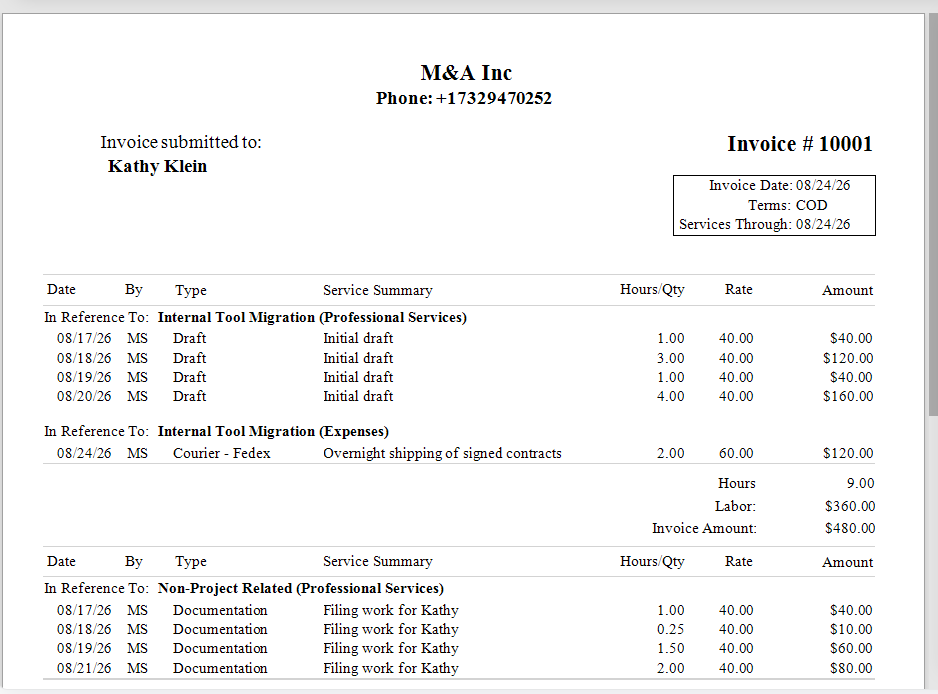
The invoice preview — exactly what your client will see, with entries grouped by project.
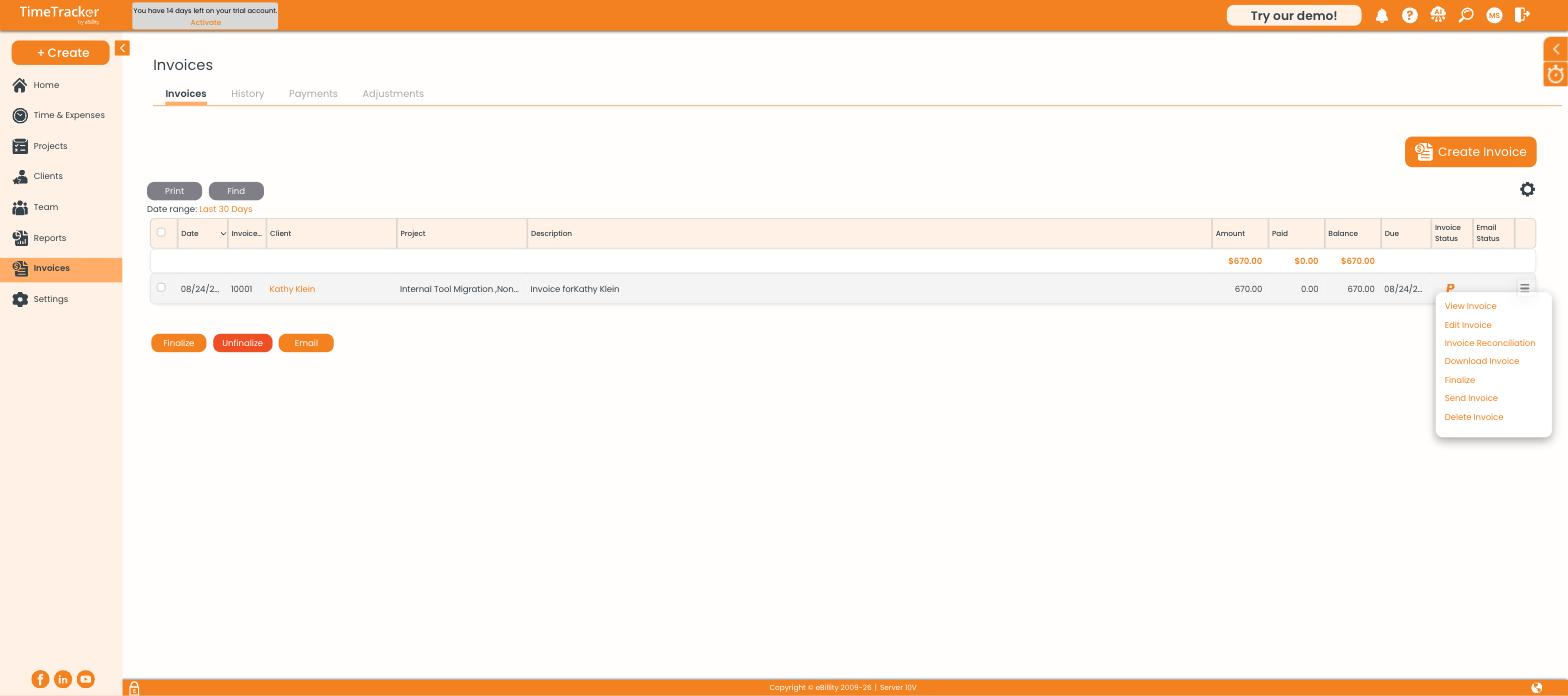
The row menu: View, Edit, Reconciliation, Download, Finalize, Send, and Delete.
While it's a pre-bill, the bar above the preview offers Finalize, Delete Pre-Bill, Email Invoice, and Email History:

The action bar on a pre-bill.
Finalizing
- Check the client, the entries, and the rates one last time.
- Click Finalize — from the preview, the row menu, or by selecting the invoice in the list and clicking the Finalize button.
The invoice number replaces TBD, every entry on it becomes Billed, and its row shows a green tick. In the preview, the badge changes to FINALIZED, Finalize becomes UnFinalize, and Delete Pre-Bill becomes Delete Invoice.

The same invoice after finalizing.
Sending It to the Client
- Email Invoice sends it directly, using the reply-to address from your invoice settings.
- Download Invoice saves a PDF to attach to your own email.
- Email History shows what was sent and when — check here when a client says they didn't receive it.
- To send several at once, select them in the list and click Email.
Undoing a Finalize
Click UnFinalize on the invoice (or select it in the list and click Unfinalize). It returns to a pre-bill and its entries unlock. Only do this if the invoice hasn't gone to the client — otherwise two versions of the same invoice number will be in circulation.