
Applies to: Workforce · Premium · LawBillity (mobile app)
The On the Clock screen shows you in real time which employees are currently clocked in, on a break, or clocked out.
Filter Tabs
At the top of the screen, four tabs let you filter the list:
Tab
Color
Shows
All
White
Everyone, regardless of status.
Clocked In
Green
Employees currently working.
On a Break
Orange
Employees who have paused their time card.
Clocked Out
Gray
Employees who have finished for the day.
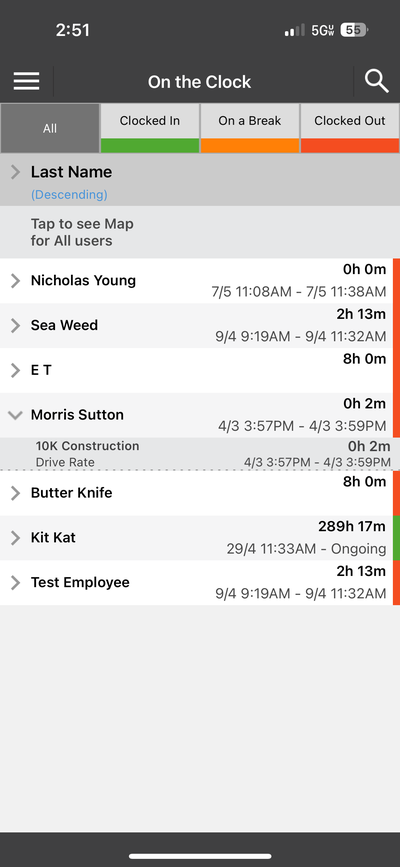
On the Clock — see who is working, on break, or clocked out
Employee Details
Each employee in the list shows their name, clock-in date and time range, and total elapsed hours. A color bar on the right side of each row indicates their status (green for clocked in, orange for on a break, red for extended durations).
The list is sorted by Last Name (Ascending or Descending) and includes a "Tap to see Map for All users" link that opens a map showing the GPS locations of everyone who is on the clock.
Tip: Tap the search icon in the top-right corner to find a specific employee quickly.